RandComp Studio

A whole team of AI agents — on your Mac

Say what you want. Your team gets it done.

Tell it the goal — a website, a research task, a new feature — and your coordinator splits it into tasks and hires specialists: a developer to build it, an independent QA to verify it.

Download for macOS ↓ Windows · Coming soon Linux · Coming soon

Early previewFree right now · No task limit · No subscription

One project, from a sentence to a plan.Describe what you want; your coordinator plans the tasks and hires the helpers.

Follow one real workflow

One project. Three ways to stay in control.

Start on your Mac, leave the desk, and keep directing the same work from another AI session. RandComp does not create three copies of the task.

Example goal: “Launch a small online store. Have Product choose the scope, Developer build it, and QA verify it.”

1

At your Mac

See the whole project in the desktop app.

Start with one sentence about what you want. Your project's coordinator turns it into a plan of focused tasks and hires the helpers to do them. Every task shows who is on it, what it produced, and what needs you.

Desktop app · visual control
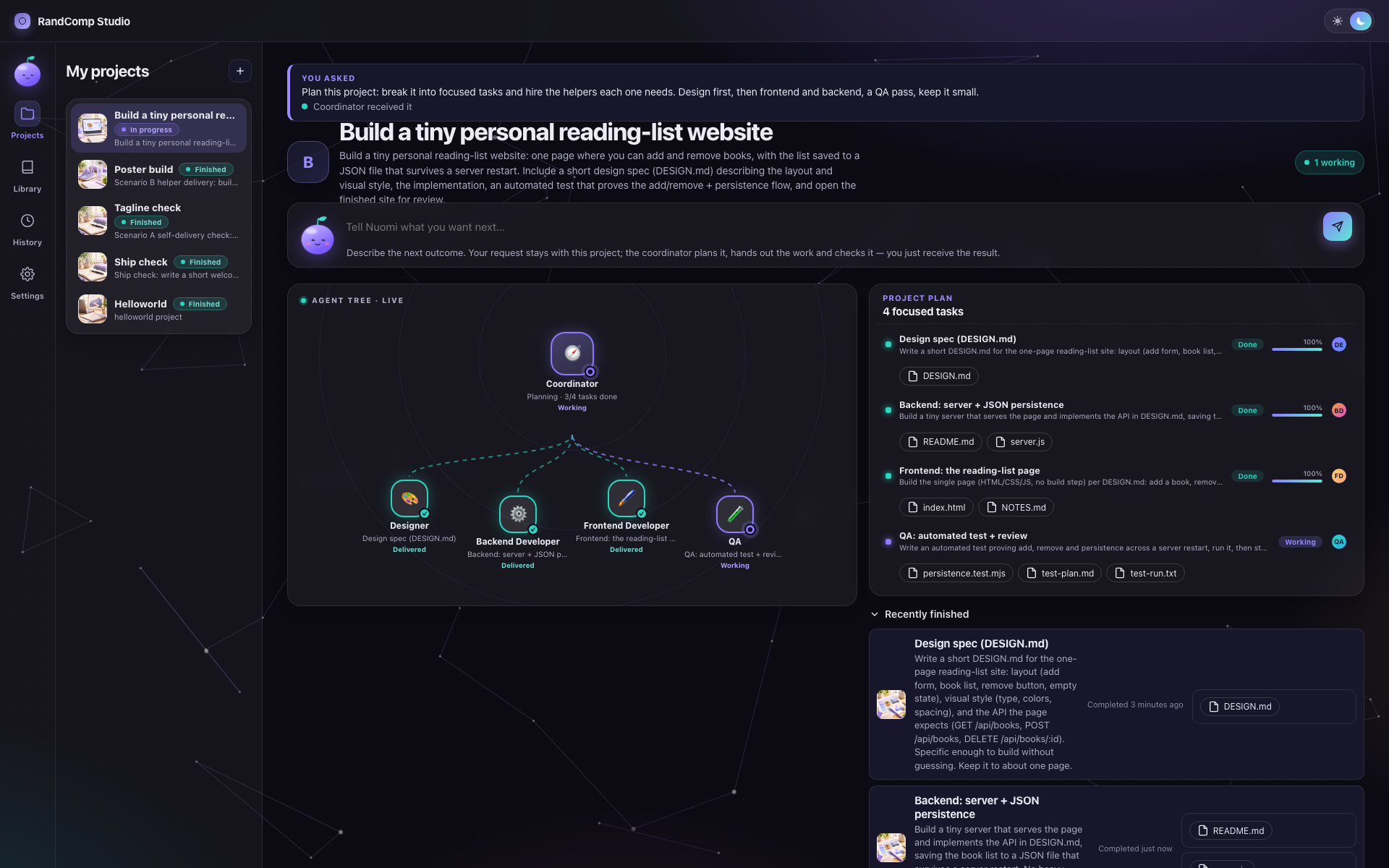
RandComp Studio's project workspace in dark mode: the request that was sent, the coordinator's plan of focused tasks, and live state.
A calm workspace in light and dark — progress without raw terminal noise
2

Away from the desk

Check in on your Mac — from another room or another machine.

Your team keeps working on your Mac while you're away. SSH back into that same Mac from your laptop and a couple of simple commands show what needs you and let you answer. Rather not touch commands at all? Just ask your AI assistant — over MCP it talks to the same local team and passes your answers along. Nothing leaves your machine.

SSH into your own Mac · stays local
ssh studio-mac · ~/store

$ randcomp status

Online store project · 3 working · 1 needs you

Developer asks: reuse the existing checkout design?

$ randcomp agent send developer-2 "Yes—reuse it."

Sent to Developer.

The project, team, messages, and results are the same ones shown in the desktop app.
3

From the AI tool you already use

Claude Code, ChatGPT, Kimi — any AI that speaks MCP can ask about your team.

RandComp runs a local MCP server on your Mac. Point any MCP-capable AI tool at it, ask "what needs me?" in plain language, and it checks on your team, summarizes the progress, and delivers your answers. No new app to learn.

Local MCP · works with the AI tools you already have
AI session · connected to RandComp MCP
Ask RandComp what needs me on the store project.
QA is waiting for the checkout build. Developer needs your answer about reusing the current design.
Tell Developer yes, then ask QA to verify mobile checkout.
Developeranswer delivered
QAverification queued
Taskstill visible in the app
4

When the work returns

Review one collected outcome.

RandComp brings each task's helpers, files, and final result back to the project. Open the outcome, inspect the evidence, and close the work only when you agree it is done.

Outcome · evidence, not session noise
A task's detail in RandComp Studio: the agent map of helpers on it, its current state, and the outcome section for what it produced.
Every task shows its helpers, its output, and its evidence

The hidden cost of the agent army

Use one agent when one is enough.

More agents are not automatically better. The hidden trap is token cost: every session reads context, and coordination consumes more. Keep simple work in one focused session; bring in a team when parallel work or independent verification earns its cost.

Small, isolated work

Improve this HTML page.

One fresh Frontend session may be faster and cheaper than five agents rereading the same project. No planning ceremony or unnecessary handoffs.

Frontend→ result

Connected, higher-risk work

Add subscription billing.

Use parallel specialists where their separate context and independent verification justify the additional tokens and coordination.

ProductBackendFrontendBillingQA
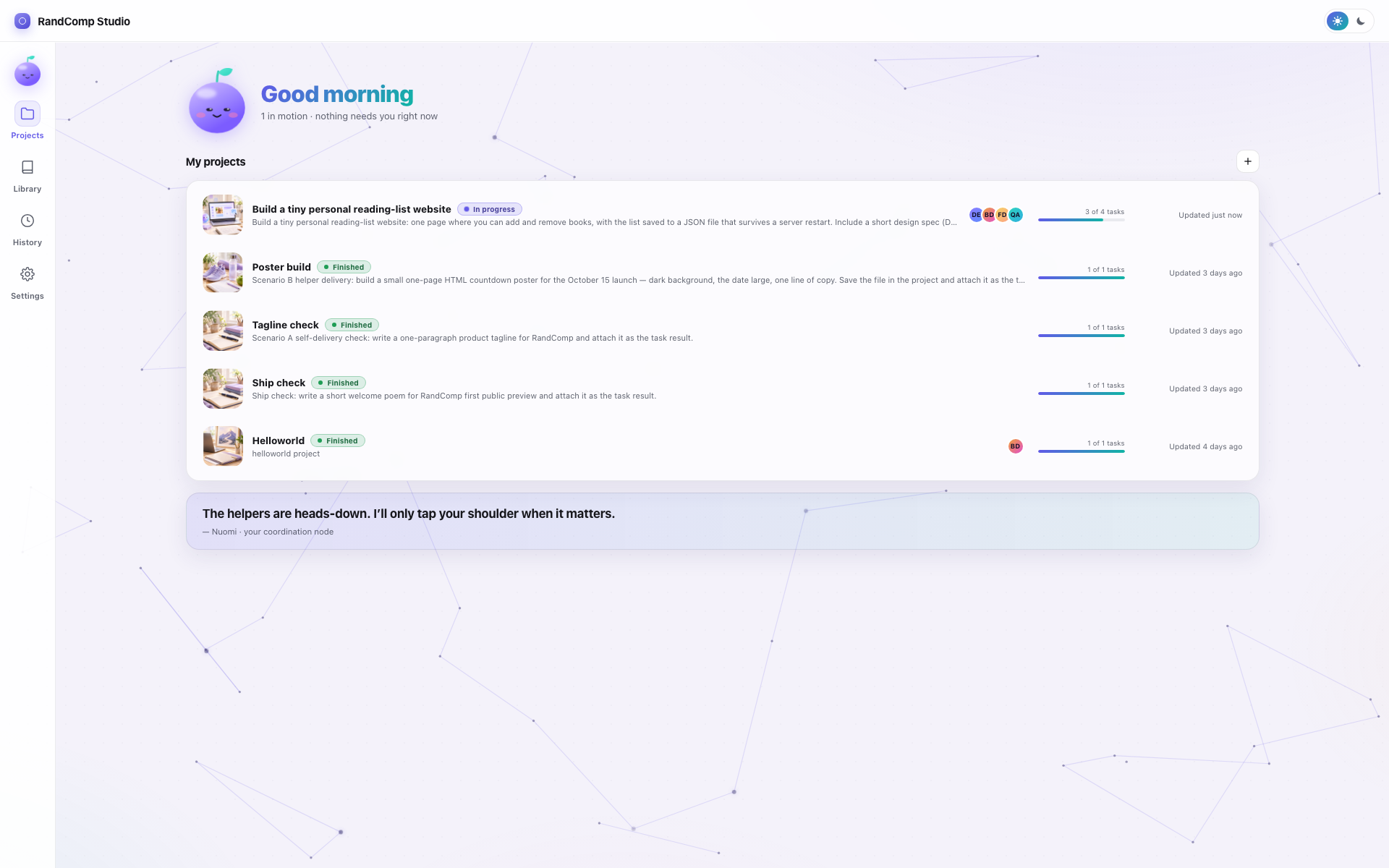
RandComp Studio's project list: every project with its live state at a glance.
Every project and its live state, in one place
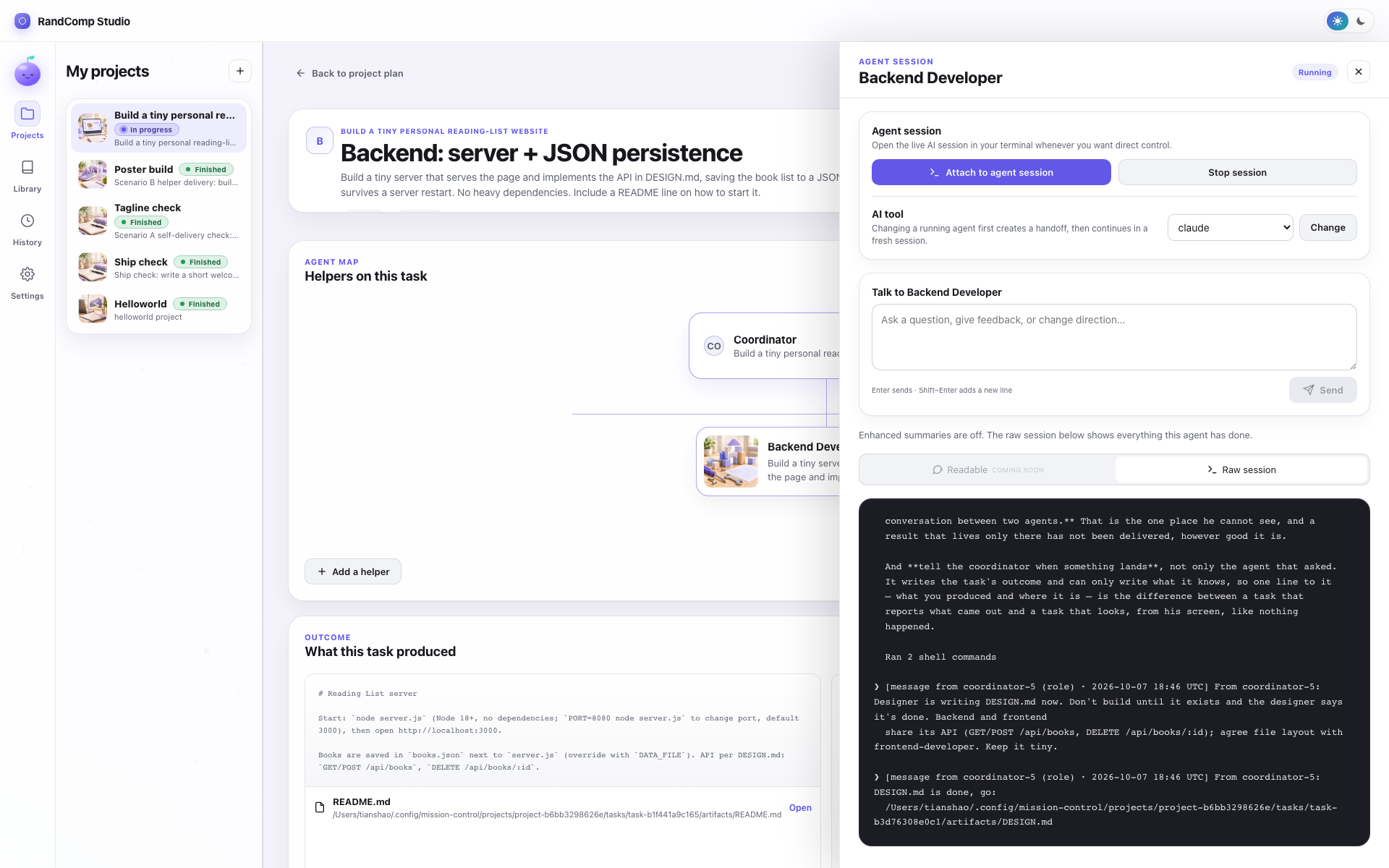
An agent's session panel in RandComp Studio: attach or stop the live session, steer it with a message, or switch its AI tool.
Every agent is one panel — attach, stop it, or switch its AI tool: Claude Code, Codex, Kimi, or a model on your own machine
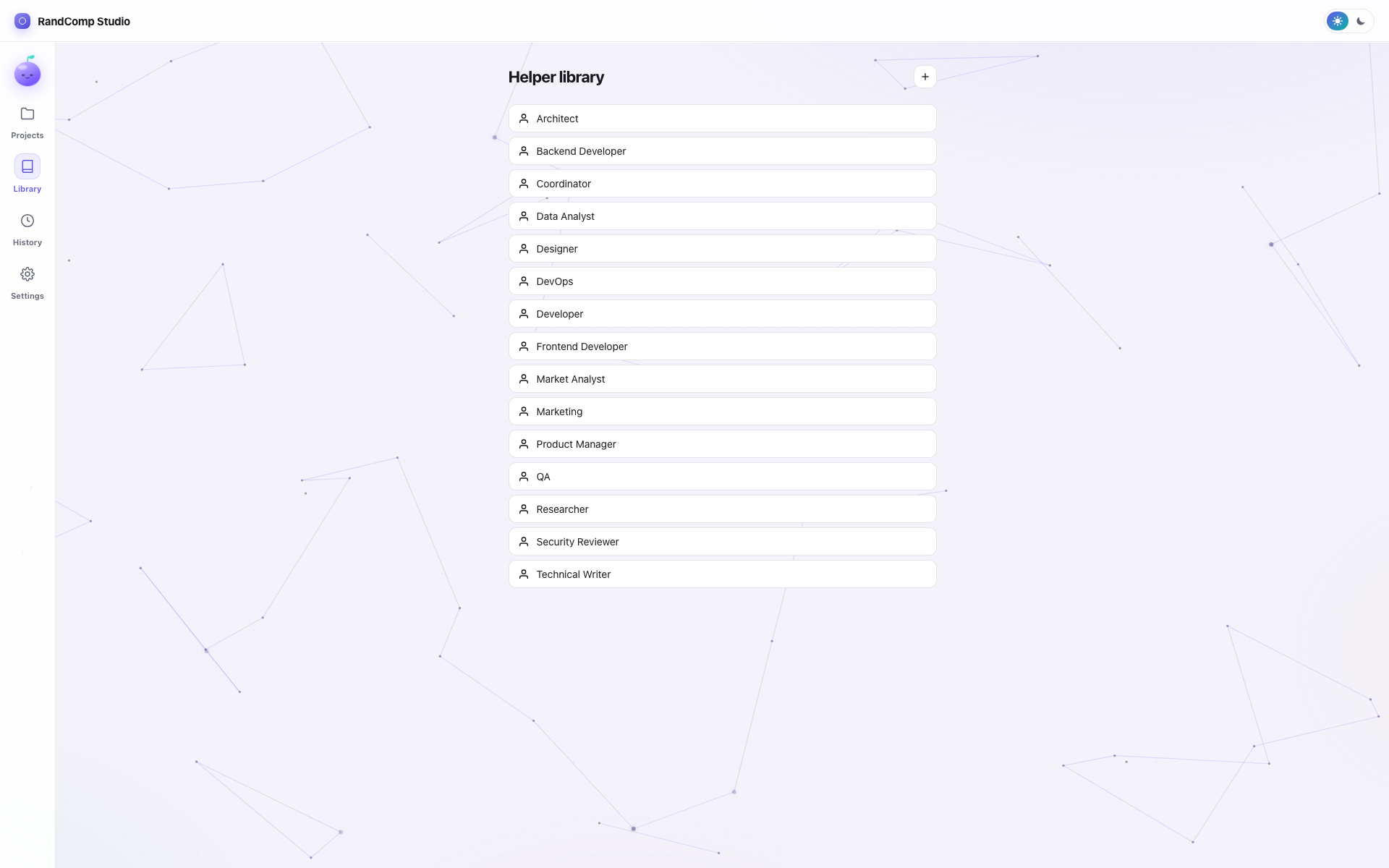
The helper library: reusable roles from Coordinator and Developer to QA and Security Reviewer.
A library of helpers that persists across projects

The difference

One assistant, or a whole team?

A single AI writes the code — then grades its own homework. RandComp works like a real company: the developer builds it, and a separate QA who never saw the developer's reasoning checks it independently.

One AI assistant

Does everything itself.

Writes the code, then reviews its own work — same context, same blind spots. Everything you ask shares one crowded conversation. And it only works with one company's model, in one company's cloud.

writeschecks its own workhopes for the best

A RandComp team

Specialists who check each other.

A coordinator plans the work. A developer builds it. An independent QA verifies it — a fresh pair of AI eyes that never saw the developer's reasoning. Everything runs on your Mac, with whichever AI you choose.

coordinator plansdeveloper buildsQA verifies independently

Long-lived work, short-lived chats

Pick up where you left off — no giant chat history needed.

Everything your team learns is saved as plain, readable notes on your computer: the plan, the decisions, the messages, the results. Close the app and come back next week — your team remembers the work, not just the chat.

Focused sessiononly the context needed now
→
Finish or stopthe context window can end
Saved as readable MarkdownRole · task · decisions · messages · handoffs · outcomes
Resume anytimerebuild the minimum useful context
→
Use another CLIthe durable record is not locked to one session
Use the AI you already haveClaude, Codex, Kimi — or any other AI tool. Your team is never locked to one company or one model.
Keep the work localTasks, role definitions, messages, and results remain as readable files on your machine.
Keep raw accessReadable summaries help you scan, while the original terminal and produced files remain available.

Start locally

Choose your first control surface.

Desktop app

Download, open the disk image, and drag RandComp Studio into Applications.

Early previewFree right now · No task limit · No subscription

Apple silicon · macOS 11+ · 33M
SHA-256 744187411367d69c2471deb1e7f5929f9d8f4376de751e68348200c20eaee5e1

CLI and MCP

Install the bundled randcomp command from the app menu. Use it directly over SSH, or register the same local process with an MCP-capable AI client.

randcomp project list
randcomp project ask PROJECT_ID "Add a gift-card page"

# MCP clients run:
randcomp mcp

Open the complete setup and CLI guide →

Real recordings, not mockups

Drive the same team from the terminal, or from any AI chat.

No staged screenshots — this is what it actually looks like. The CLI and the MCP connection both talk to the same local state the desktop app shows.

From the terminal. randcomp shows projects, tasks, agents, and results — the same state as the app.
From any MCP-capable AI session. Claude Code connects over MCP and asks what the team produced — then answers in plain language.

How it started

About RandComp

It started while I was traveling. I wanted agents working on my Mac mini back home — but one long AI session goes out of shape fast: it drifts, loses the plot, and no one is there to catch it. So instead of one agent doing everything, I built a company: a coordinator plans the work, each role owns a piece, and I can attach to any of them from wherever I am. Then I kept using it myself — several small apps later, it had earned its place as my default way of working. That's when I decided it was time to share it. As for the name — I couldn't think of one, so Random Company it is. RandComp is just the shortcut.